Full DIY Battery Replacement Kit for Hayward AquaPod 2.0 AQL2-POD2 1500mAh High-Capacity
-
[UPGRADED HIGH CAPACITY]: Engineered with premium lithium cells, offering 40% more capacity than the original OEM battery. Enjoy longer standby and operation time without constant recharging.
-
[PERFECT COMPATIBILITY]: Specifically designed for the Hayward AquaPod 2.0 (AQL2-POD2) Handheld Wireless Remote.
-
[ADVANCED SMART BMS]: Equipped with a high-end protection board featuring active balancing technology. Prevents overcharge, over-discharge, and overheating for maximum battery lifespan.
-
[EASY INSTALLATION]: Plug-and-play design. Includes the correct connector for a seamless fit—no soldering or technical expertise required.
-
[WEATHER RESISTANT & DURABLE]: Built to withstand the humid environment of pool areas, ensuring reliable performance all season long.
Everything You Need to Restore Your Hayward AquaPod 2.0 to Factory Performance.
Is your pool remote losing its charge before you even get to the spa? Don't spend hundreds of dollars on a whole new remote. The KEEPBATT DIY Battery Replacement Kit is the professional-grade solution designed specifically for the Hayward AQL2-POD2.
Why Choose Our Kit?
Unlike "battery-only" listings, we provide the specialized tools required for this specific repair. The AquaPod 2.0 uses 6 unique Torx screws and heavy-duty internal foam that can be difficult to remove without the right equipment. Our kit includes a custom-fit Torx screwdriver and an adhesive remover tool to ensure a clean, damage-free installation.
Protect Your Investment:
Pool remotes live in a high-humidity environment. When you open your remote, the original desiccant (moisture absorber) is likely spent. We include a new replacement desiccant pouch to ensure your internal chipboard stays dry and functional for years to come.
What’s in the Box?
-
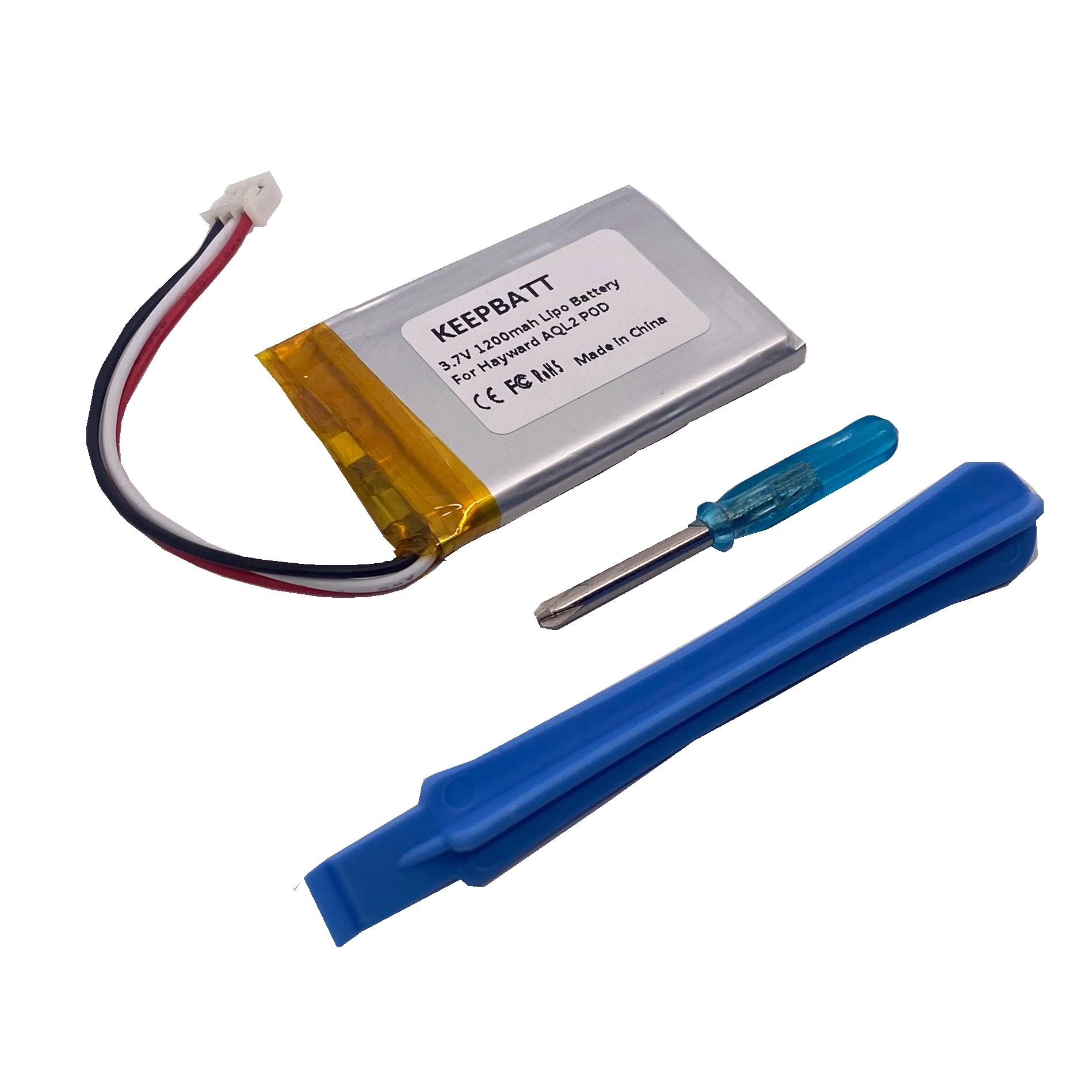
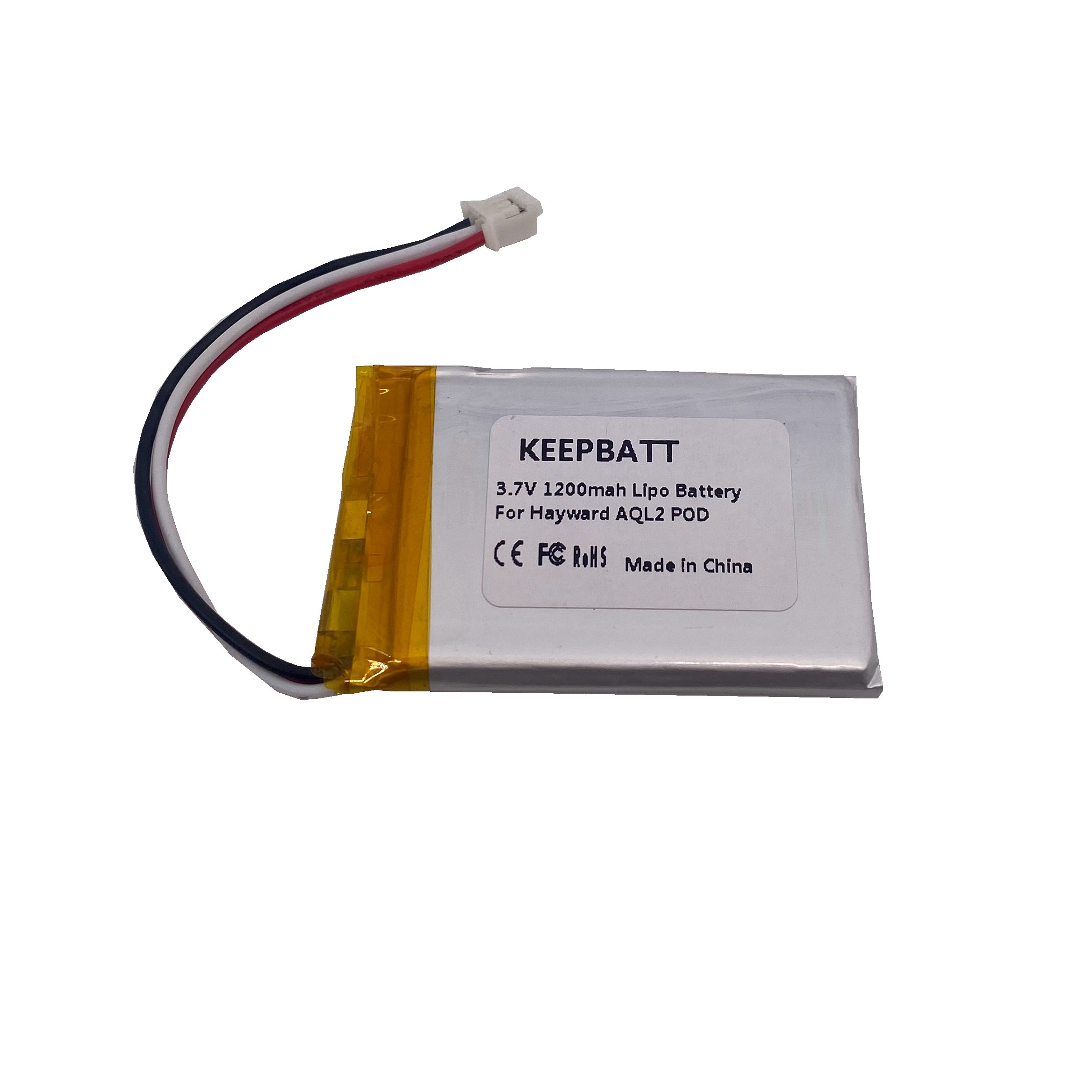
1x 1500mAh Li-Po High-Capacity Battery
-
1x Specialized Torx Screwdriver (Fits all 6 remote screws)
-
1x Professional Adhesive Remover Tool
-
1x Strip of Genuine 3M Double-Sided Foam Tape
-
1x Replacement Desiccant Pouch with Adhesive Backing
How to Revive Your Hayward AquaPod 2.0 in 5 Easy Steps
Step 1: Open the Housing
Use the Special Torx Screwdriver included in your kit to remove the 6 security screws on the back of the remote. Gently separate the front and back covers.
Note: Be careful not to pull the internal wires too hard when opening.
Step 2: Remove the Old Battery & Foam
-
Disconnect: Gently unplug the white battery connector from the female receptacle on the circuit board.
-
Clear the Residue: The factory battery is held down by strong adhesive. Use the Adhesive Remover Tool from your kit to safely pry up the old battery and scrape away any leftover foam residue without damaging the casing.
Step 3: Moisture Protection Upgrade (Crucial Step!)
-
Out with the Old: Remove the old, expired desiccant bag.
-
In with the New: Peel the backing off the New Replacement Desiccant Pouch and stick it inside the housing. This protects the sensitive chipboard from humidity and corrosion—a vital step often missed by others!
Step 4: Install the New 1200mAh Battery
-
Apply Tape: Attach a strip of the included 3M Double-Sided Foam Tape to the back of your new battery.
-
Plug It In: Connect the battery to the receptacle. It is keyed to fit only one way—do not force it.
-
Secure: Press the battery firmly into place, ensuring the wires are tucked away and won't be pinched when closing the case.
Step 5: Reassemble & Re-activate
-
Seal It Up: Align the covers and tighten the 6 Torx screws.
-
The "Wake-Up" Call: IMPORTANT! The remote may not turn on immediately after the swap. Place the unit into the Charging Cradle to initiate the system and "wake up" the new battery.
-
Full Charge: We recommend charging the remote for 4–6 hours before its first full use to calibrate the battery meter.
Batteryint.comでは、お客様がご購入された製品にご満足いただけることを最優先に考えております。万が一、ご購入後にご満足いただけない場合、返品および返金を受け付けております。
注文のキャンセルはできますか?
Batteryint.comでの注文は、発送前であればキャンセルできます。
注文のキャンセルをご希望の場合は、お客様サービスまでご連絡ください。発送状況を確認後、返金手続きをいたします(すでに発送済みの場合、返品扱いとなります)。
ご注意ください:PayPal手数料は返金されません(PayPalの販売者ポリシーによる)。
購入されたバッテリーがカスタマイズ製品である場合、キャンセルは受け付けておりません。
DOA(到着時不良)返品ポリシー:
不良品返品ポリシー:
当社は、出荷される製品が最良の状態であることを保証するため最善を尽くしています。万が一、製品が不良品であった場合、以下の証拠を提供してください:
不良品が返送された場合、無料で返金または交換を行います。
返品送料は製品価格の30%、最大$30(USD)まで返金されます。
誤った商品を受け取った場合:
製品にご満足いただけない場合:
製品に不具合が発生した場合(誤った使用や偶発的または意図的な損傷が原因でない場合):
発送後90日以内に製品に不具合が発生した場合、返品を受け付けます。発送後の詳細は、発送確認メールにてお知らせいたします。返品が確認されると、全額返金または交換が行われ、返品送料の領収書を提供していただければ送料も返金いたします(返送用の追跡番号または配送領収書のスクリーンショットが必要です)。
返品送料は、不良品の価格の30%以内、または最大$30(USD)を上限とします。これを超える場合、カスタマーサービスまでご確認ください。
90日を超え、発送から180日以内の場合:
発送から180日以上経過した場合:
不良品をBatteryintに返品する方法は?
注意事項:
返品される商品は、新品同様で解決可能な状態で、元のパッケージ(段ボール、部品、取扱説明書等)が含まれている必要があります。
返品送料はお客様負担で、交換品の発送費用は当社が負担します。商品の損失や破損を防ぐため、返品商品には保険をかけ、配達証明を提供できる配送業者を使用することをお勧めします。
すべての返品は事前に当社に相談してください。RMA(カスタマーサービスから提供された返品承認)がない返品は受け付けません。
返金ポリシーでは、購入価格のみが返金され、送料や手数料、保険料は返金対象外となります。
返品パッケージ内には、以下の情報を記載したメモを同封してください(注文番号、製品IDまたは名称、数量、発生した問題の簡単な説明)。
商品を返送後、追跡番号と配送領収書のコピーを当社にお送りください。この情報が届かない場合、商品が当社の倉庫に到着するまで対応できません。返品過程で失われた商品に対して当社は責任を負いません。
返品商品を受け取った後、交換または返金手続きを行います。返金は、注文時に使用した支払い方法に返金されます。すべての中介手数料や銀行処理手数料はお客様の負担となります。
保証期間を超過した製品は、返品・交換・返金ポリシーの対象外となります。
返金はどれくらいの期間で行われますか?
返品リクエストがカスタマーサービスにより確認・承認された後、返品商品を受け取り次第、返金手続きを行います。
返金は、注文時に使用した支払い方法に返金されます。すべての中介手数料や銀行処理手数料はお客様の負担となります。
通常、3〜7営業日以内に返金が口座に反映されます。